Source Code : Draw String and Star
Java Is Open Source Programming Language You Can Download From Java and Java Libraries From http://www.oracle.com.
Click Here to download
We provide this code related to title for you to solve your developing problem easily. Libraries which is import in this program you can download from http://www.oracle.com.
Click Here or search from google with Libraries Name you get jar file related it
Draw String and Star
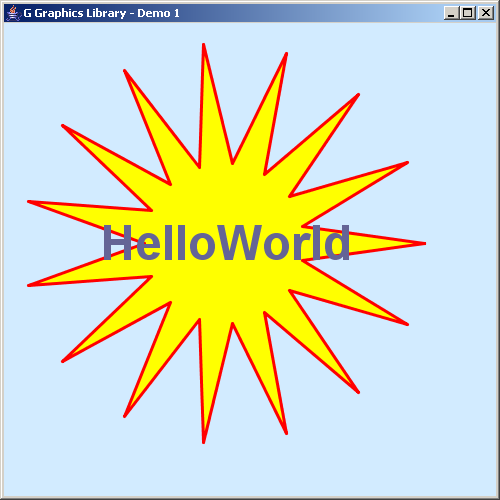
import java.awt.*;

import javax.swing.*;

import no.geosoft.cc.geometry.Geometry;
import no.geosoft.cc.graphics.*;


/**
 * G demo program. Demonstrates:
 *
 * <ul>
 *   <li> Basic graphic window and scene setup
 *   <li> Setting canvas background color
 *   <li> Basic scene composition
 *   <li> The use of style
 *   <li> Example geometry generation
 *   <li> Simple annotation with positioning
 * </ul>
 *
 * @author <a href="mailto:jacob.dreyer@geosoft.no">Jacob Dreyer</a>
 */
public class Demo1 extends JFrame
{
  public Demo1()
  {
    super ("G Graphics Library - Demo 1");
    setDefaultCloseOperation (JFrame.EXIT_ON_CLOSE);

    // Create the graphic canvas
    GWindow window = new GWindow(new Color (210, 235, 255));
    getContentPane().add (window.getCanvas());

    // Create scene with default viewport and world extent settings
    GScene scene = new GScene (window);

    // Create the graphics object and add to the scene
    GObject helloWorld = new HelloWorld();
    scene.add (helloWorld);

    pack();
    setSize (new Dimension (500, 500));
    setVisible (true);
  }


  /**
   * Defines the geometry and presentation for the sample
   * graphic object.
   */
  public class HelloWorld extends GObject
  {
    private GSegment star_;


    public HelloWorld()
    {
      star_ = new GSegment();
      GStyle starStyle = new GStyle();
      starStyle.setForegroundColor (new Color (255, 0, 0));
      starStyle.setBackgroundColor (new Color (255, 255, 0));
      starStyle.setLineWidth (3);
      setStyle (starStyle);
      addSegment (star_);

      GText text = new GText ("HelloWorld", GPosition.MIDDLE);
      GStyle textStyle = new GStyle();
      textStyle.setForegroundColor (new Color (100, 100, 150));
      textStyle.setBackgroundColor (null);
      textStyle.setFont (new Font ("Dialog", Font.BOLD, 48));
      text.setStyle (textStyle);
      star_.setText (text);
    }


    /**
     * This method is called whenever the canvas needs to redraw this
     * object. For efficiency, prepare as much of the graphic object
     * up front (such as sub object, segment and style setup) and
     * set geometry only in this method.
     */
    public void draw()
    {
      star_.setGeometry (Geometry.createStar (220, 220, 200, 80, 15));
    }
  }


  public static void main (String[] args)
  {
    new Demo1();
  }
}
Thank with us

