Source Code : SWT 2D Simple Demo
Java Is Open Source Programming Language You Can Download From Java and Java Libraries From http://www.oracle.com.
Click Here to download
We provide this code related to title for you to solve your developing problem easily. Libraries which is import in this program you can download from http://www.oracle.com.
Click Here or search from google with Libraries Name you get jar file related it
SWT 2D Simple Demo
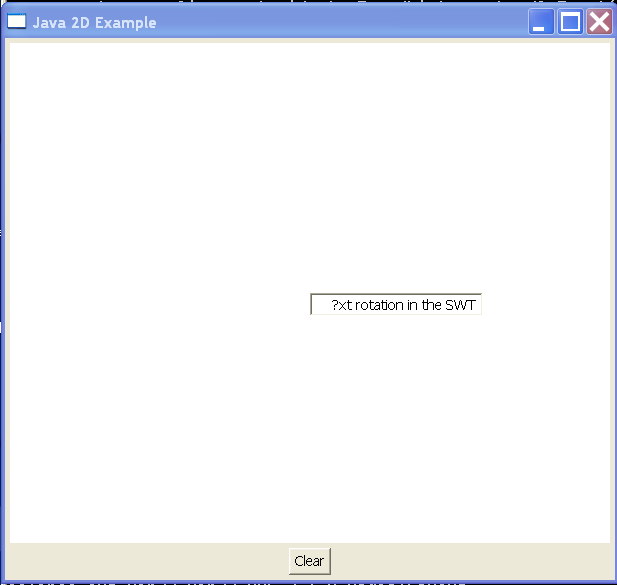
/*******************************************************************************
 * Copyright (c) 2004 Berthold Daum. All rights reserved. This program and the
 * accompanying materials are made available under the terms of the Common
 * Public License v1.0 which accompanies this distribution, and is available at
 * http://www.eclipse.org/legal/cpl-v10.html
 *
 * Contributors: Berthold Daum
 ******************************************************************************/

import java.awt.RenderingHints;
import java.util.ArrayList;
import java.util.Iterator;

import org.eclipse.swt.SWT;
import org.eclipse.swt.awt.SWT_AWT;
import org.eclipse.swt.events.PaintEvent;
import org.eclipse.swt.events.PaintListener;
import org.eclipse.swt.events.SelectionAdapter;
import org.eclipse.swt.events.SelectionEvent;
import org.eclipse.swt.graphics.Point;
import org.eclipse.swt.layout.FillLayout;
import org.eclipse.swt.layout.GridData;
import org.eclipse.swt.layout.GridLayout;
import org.eclipse.swt.widgets.Button;
import org.eclipse.swt.widgets.Composite;
import org.eclipse.swt.widgets.Display;
import org.eclipse.swt.widgets.Shell;
import org.eclipse.swt.widgets.Text;

public class SWT2D {
  // Shell fur Popup-Editor
  Shell eShell = null;

  // Text-Widget fur Editor
  Text eText = null;

  // Liste eingegebener Zeichenketten
  ArrayList wordList = new ArrayList(12);

  public static void main(String[] args) {
    SWT2D swtawt = new SWT2D();
    swtawt.run();
  }

  private void run() {
    // Create top level shell
    final Display display = new Display();
    final Shell shell = new Shell(display);
    shell.setText("Java 2D Example");
    // GridLayout for canvas and button
    shell.setLayout(new GridLayout());
    // Create container for AWT canvas
    final Composite canvasComp = new Composite(shell, SWT.EMBEDDED);
    // Set preferred size
    GridData data = new GridData();
    data.widthHint = 600;
    data.heightHint = 500;
    canvasComp.setLayoutData(data);
    // Create AWT Frame for Canvas
    java.awt.Frame canvasFrame = SWT_AWT.new_Frame(canvasComp);
    // Create Canvas and add it to the Frame
    final java.awt.Canvas canvas = new java.awt.Canvas();
    canvasFrame.add(canvas);
    // Get graphical context and cast to Java2D
    final java.awt.Graphics2D g2d = (java.awt.Graphics2D) canvas
        .getGraphics();
    // Enable antialiasing
    g2d.setRenderingHint(RenderingHints.KEY_ANTIALIASING,
        RenderingHints.VALUE_ANTIALIAS_ON);
    // Remember initial transform
    final java.awt.geom.AffineTransform origTransform = g2d.getTransform();
    // Create Clear button and position it
    Button clearButton = new Button(shell, SWT.PUSH);
    clearButton.setText("Clear");
    data = new GridData();
    data.horizontalAlignment = GridData.CENTER;
    clearButton.setLayoutData(data);
    // Event processing for Clear button
    clearButton.addSelectionListener(new SelectionAdapter() {
      public void widgetSelected(SelectionEvent e) {
        // Delete word list and redraw canvas
        wordList.clear();
        canvasComp.redraw();
      }
    });
    // Process canvas mouse clicks
    canvas.addMouseListener(new java.awt.event.MouseListener() {
      public void mouseClicked(java.awt.event.MouseEvent e) {
      }

      public void mouseEntered(java.awt.event.MouseEvent e) {
      }

      public void mouseExited(java.awt.event.MouseEvent e) {
      }

      public void mousePressed(java.awt.event.MouseEvent e) {
        // Manage pop-up editor
        display.syncExec(new Runnable() {
          public void run() {
            if (eShell == null) {
              // Create new Shell: non-modal!
              eShell = new Shell(shell, SWT.NO_TRIM
                  | SWT.MODELESS);
              eShell.setLayout(new FillLayout());
              // Text input field
              eText = new Text(eShell, SWT.BORDER);
              eText.setText("Text rotation in the SWT?");
              eShell.pack();
              // Set position (Display coordinates)
              java.awt.Rectangle bounds = canvas.getBounds();
              org.eclipse.swt.graphics.Point pos = canvasComp
                  .toDisplay(bounds.width / 2,
                      bounds.height / 2);
              Point size = eShell.getSize();
              eShell.setBounds(pos.x, pos.y, size.x, size.y);
              // Open Shell
              eShell.open();
            } else if (!eShell.isVisible()) {
              // Editor versteckt, sichtbar machen
              eShell.setVisible(true);
            } else {
              // Editor is visible - get text
              String t = eText.getText();
              // set editor invisible
              eShell.setVisible(false);
              // Add text to list and redraw canvas
              wordList.add(t);
              canvasComp.redraw();
            }
          }
        });
      }

      public void mouseReleased(java.awt.event.MouseEvent e) {
      }
    });
    // Redraw the canvas
    canvasComp.addPaintListener(new PaintListener() {
      public void paintControl(PaintEvent e) {
        // Pass the redraw task to AWT event queue
        java.awt.EventQueue.invokeLater(new Runnable() {
          public void run() {
            // Compute canvas center
            java.awt.Rectangle bounds = canvas.getBounds();
            int originX = bounds.width / 2;
            int originY = bounds.height / 2;
            // Reset canvas
            g2d.setTransform(origTransform);
            g2d.setColor(java.awt.Color.WHITE);
            g2d.fillRect(0, 0, bounds.width, bounds.height);
            // Set font
            g2d.setFont(new java.awt.Font("Myriad",
                java.awt.Font.PLAIN, 32));
            double angle = 0d;
            // Prepare star shape
            double increment = Math.toRadians(30);
            Iterator iter = wordList.iterator();
            while (iter.hasNext()) {
              // Determine text colors in RGB color cycle
              float red = (float) (0.5 + 0.5 * Math.sin(angle));
              float green = (float) (0.5 + 0.5 * Math.sin(angle
                  + Math.toRadians(120)));
              float blue = (float) (0.5 + 0.5 * Math.sin(angle
                  + Math.toRadians(240)));
              g2d.setColor(new java.awt.Color(red, green, blue));
              // Redraw text
              String text = (String) iter.next();
              g2d.drawString(text, originX + 50, originY);
              // Rotate for next text output
              g2d.rotate(increment, originX, originY);
              angle += increment;
            }
          }
        });
      }
    });
    // Finish shell and open it
    shell.pack();
    shell.open();
    // SWT event processing
    while (!shell.isDisposed()) {
      if (!display.readAndDispatch())
        display.sleep();
    }
    display.dispose();
  }

}
Thank with us

