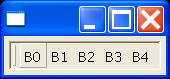
Source Code : Drop-down a chevron menu containing hidden tool items
Java Is Open Source Programming Language You Can Download From Java and Java Libraries From http://www.oracle.com.
Click Here to download
We provide this code related to title for you to solve your developing problem easily. Libraries which is import in this program you can download from http://www.oracle.com.
Click Here or search from google with Libraries Name you get jar file related it
Drop-down a chevron menu containing hidden tool items
/*
 * CoolBar example snippet: drop-down a chevron menu containing hidden tool items
 *
 * For a list of all SWT example snippets see
 * http://dev.eclipse.org/viewcvs/index.cgi/%7Echeckout%7E/platform-swt-home/dev.html#snippets
 */
import org.eclipse.swt.SWT;
import org.eclipse.swt.events.SelectionAdapter;
import org.eclipse.swt.events.SelectionEvent;
import org.eclipse.swt.graphics.Point;
import org.eclipse.swt.graphics.Rectangle;
import org.eclipse.swt.layout.GridData;
import org.eclipse.swt.layout.GridLayout;
import org.eclipse.swt.widgets.CoolBar;
import org.eclipse.swt.widgets.CoolItem;
import org.eclipse.swt.widgets.Display;
import org.eclipse.swt.widgets.Menu;
import org.eclipse.swt.widgets.MenuItem;
import org.eclipse.swt.widgets.Shell;
import org.eclipse.swt.widgets.ToolBar;
import org.eclipse.swt.widgets.ToolItem;

public class Snippet140 {
  static Display display;

  static Shell shell;

  static CoolBar coolBar;

  static Menu chevronMenu = null;

  public static void main(String[] args) {
    display = new Display();
    shell = new Shell(display);
    shell.setLayout(new GridLayout());
    coolBar = new CoolBar(shell, SWT.FLAT | SWT.BORDER);
    coolBar.setLayoutData(new GridData(GridData.FILL_BOTH));
    ToolBar toolBar = new ToolBar(coolBar, SWT.FLAT | SWT.WRAP);
    int minWidth = 0;
    for (int j = 0; j < 5; j++) {
      int width = 0;
      ToolItem item = new ToolItem(toolBar, SWT.PUSH);
      item.setText("B" + j);
      width = item.getWidth();
      /* find the width of the widest tool */
      if (width > minWidth)
        minWidth = width;
    }
    CoolItem coolItem = new CoolItem(coolBar, SWT.DROP_DOWN);
    coolItem.setControl(toolBar);
    Point size = toolBar.computeSize(SWT.DEFAULT, SWT.DEFAULT);
    Point coolSize = coolItem.computeSize(size.x, size.y);
    coolItem.setMinimumSize(minWidth, coolSize.y);
    coolItem.setPreferredSize(coolSize);
    coolItem.setSize(coolSize);
    coolItem.addSelectionListener(new SelectionAdapter() {
      public void widgetSelected(SelectionEvent event) {
        if (event.detail == SWT.ARROW) {
          CoolItem item = (CoolItem) event.widget;
          Rectangle itemBounds = item.getBounds();
          Point pt = coolBar.toDisplay(new Point(itemBounds.x,
              itemBounds.y));
          itemBounds.x = pt.x;
          itemBounds.y = pt.y;
          ToolBar bar = (ToolBar) item.getControl();
          ToolItem[] tools = bar.getItems();

          int i = 0;
          while (i < tools.length) {
            Rectangle toolBounds = tools[i].getBounds();
            pt = bar
                .toDisplay(new Point(toolBounds.x, toolBounds.y));
            toolBounds.x = pt.x;
            toolBounds.y = pt.y;

            /*
             * Figure out the visible portion of the tool by looking
             * at the intersection of the tool bounds with the cool
             * item bounds.
             */
            Rectangle intersection = itemBounds
                .intersection(toolBounds);

            /*
             * If the tool is not completely within the cool item
             * bounds, then it is partially hidden, and all
             * remaining tools are completely hidden.
             */
            if (!intersection.equals(toolBounds))
              break;
            i++;
          }

          /*
           * Create a menu with items for each of the completely
           * hidden buttons.
           */
          if (chevronMenu != null)
            chevronMenu.dispose();
          chevronMenu = new Menu(coolBar);
          for (int j = i; j < tools.length; j++) {
            MenuItem menuItem = new MenuItem(chevronMenu, SWT.PUSH);
            menuItem.setText(tools[j].getText());
          }

          /*
           * Drop down the menu below the chevron, with the left edges
           * aligned.
           */
          pt = coolBar.toDisplay(new Point(event.x, event.y));
          chevronMenu.setLocation(pt.x, pt.y);
          chevronMenu.setVisible(true);
        }
      }
    });

    shell.pack();
    shell.open();
    while (!shell.isDisposed()) {
      if (!display.readAndDispatch())
        display.sleep();
    }
    display.dispose();
  }
}
Thank with us

