Source Code : Replaces the standard scrollbar UI with a custom one
Java Is Open Source Programming Language You Can Download From Java and Java Libraries From http://www.oracle.com.
Click Here to download
We provide this code related to title for you to solve your developing problem easily. Libraries which is import in this program you can download from http://www.oracle.com.
Click Here or search from google with Libraries Name you get jar file related it
Replaces the standard scrollbar UI with a custom one
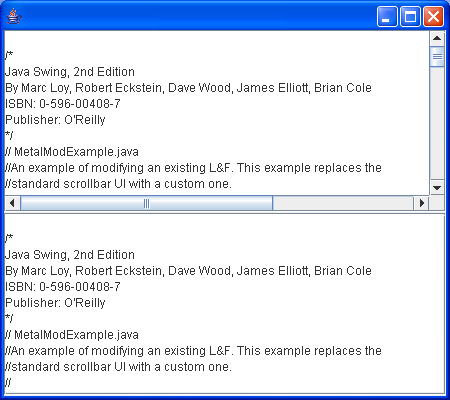
//An example of modifying an existing L&F.
//This example replaces thestandard scrollbar UI with a custom one.
//

import java.awt.Container;
import java.awt.GridLayout;
import java.io.FileReader;
import java.io.IOException;

import javax.swing.JComponent;
import javax.swing.JFrame;
import javax.swing.JScrollPane;
import javax.swing.JTextArea;
import javax.swing.UIManager;

public class MetalModExample {
  public static void main(String[] args) {
    try {
      UIManager.setLookAndFeel("javax.swing.plaf.metal.MetalLookAndFeel");
    } catch (Exception e) {
      System.err.println("Metal is not available on this platform?!");
      System.exit(1);
    }
    JComponent before = makeExamplePane();

    UIManager.put("ScrollBarUI", "MyMetalScrollBarUI");

    JComponent after = makeExamplePane();

    JFrame f = new JFrame();
    f.setDefaultCloseOperation(JFrame.EXIT_ON_CLOSE);

    Container c = f.getContentPane();
    c.setLayout(new GridLayout(2, 1, 0, 1));
    c.add(before);
    c.add(after);
    f.setSize(450, 400);
    f.setVisible(true);
  }

  public static JComponent makeExamplePane() {
    JTextArea text = new JTextArea();
    try {
      text.read(new FileReader("MetalModExample.java"), null);
    } catch (IOException ex) {
    }

    JScrollPane scroll = new JScrollPane(text);
    return scroll;
  }
}
Thank with us

