Source Code : ProgressBar Step
Java Is Open Source Programming Language You Can Download From Java and Java Libraries From http://www.oracle.com.
Click Here to download
We provide this code related to title for you to solve your developing problem easily. Libraries which is import in this program you can download from http://www.oracle.com.
Click Here or search from google with Libraries Name you get jar file related it
ProgressBar Step
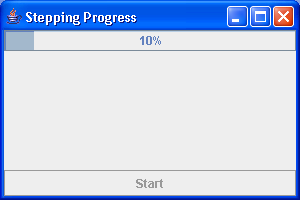
/*
Definitive Guide to Swing for Java 2, Second Edition
By John Zukowski
ISBN: 1-893115-78-X
Publisher: APress
*/

import java.awt.BorderLayout;
import java.awt.Container;
import java.awt.event.ActionEvent;
import java.awt.event.ActionListener;
import java.lang.reflect.InvocationTargetException;

import javax.swing.JButton;
import javax.swing.JFrame;
import javax.swing.JProgressBar;
import javax.swing.SwingUtilities;

public class ProgressBarStep {
  static class BarThread extends Thread {
    private static int DELAY = 500;

    JProgressBar progressBar;

    public BarThread(JProgressBar bar) {
      progressBar = bar;
    }

    public void run() {
      int minimum = progressBar.getMinimum();
      int maximum = progressBar.getMaximum();
      Runnable runner = new Runnable() {
        public void run() {
          int value = progressBar.getValue();
          progressBar.setValue(value + 1);
        }
      };
      for (int i = minimum; i < maximum; i++) {
        try {
          SwingUtilities.invokeAndWait(runner);
          // our job for each step is to just sleep
          Thread.sleep(DELAY);
        } catch (InterruptedException ignoredException) {
        } catch (InvocationTargetException ignoredException) {
        }
      }
    }
  }

  public static void main(String args[]) {
    // Initialize
    final JProgressBar aJProgressBar = new JProgressBar(0, 50);
    aJProgressBar.setStringPainted(true);

    final JButton aJButton = new JButton("Start");

    ActionListener actionListener = new ActionListener() {
      public void actionPerformed(ActionEvent e) {
        aJButton.setEnabled(false);
        Thread stepper = new BarThread(aJProgressBar);
        stepper.start();
      }
    };

    aJButton.addActionListener(actionListener);

    String title = (args.length == 0 ? "Stepping Progress" : args[0]);
    JFrame theFrame = new JFrame(title);
    theFrame.setDefaultCloseOperation(JFrame.EXIT_ON_CLOSE);

    Container contentPane = theFrame.getContentPane();
    contentPane.add(aJProgressBar, BorderLayout.NORTH);
    contentPane.add(aJButton, BorderLayout.SOUTH);
    theFrame.setSize(300, 200);
    theFrame.setVisible(true);
  }
}
Thank with us

