Java Is Open Source Programming Language You Can Download From Java and Java Libraries From http://www.oracle.com.
We provide this code related to title for you to solve your developing problem easily. Libraries which is import in this program you can download from http://www.oracle.com.
extends AbstractAction to create your won action
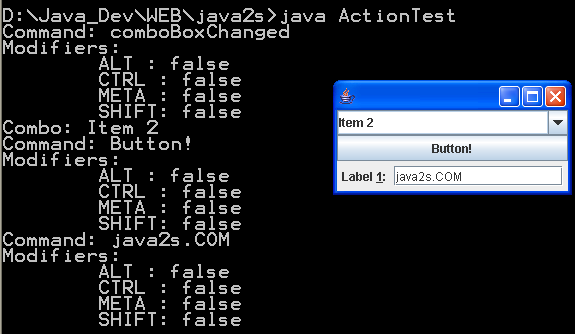
/*
   This program is a part of the companion code for Core Java 8th ed.
   (http://horstmann.com/corejava)

   This program is free software: you can redistribute it and/or modify
   it under the terms of the GNU General Public License as published by
   the Free Software Foundation, either version 3 of the License, or
   (at your option) any later version.

   This program is distributed in the hope that it will be useful,
   but WITHOUT ANY WARRANTY; without even the implied warranty of
   MERCHANTABILITY or FITNESS FOR A PARTICULAR PURPOSE.  See the
   GNU General Public License for more details.

   You should have received a copy of the GNU General Public License
   along with this program.  If not, see <http://www.gnu.org/licenses/>.
*/

import java.awt.Color;
import java.awt.EventQueue;
import java.awt.event.ActionEvent;

import javax.swing.AbstractAction;
import javax.swing.Action;
import javax.swing.ActionMap;
import javax.swing.Icon;
import javax.swing.ImageIcon;
import javax.swing.InputMap;
import javax.swing.JButton;
import javax.swing.JComponent;
import javax.swing.JFrame;
import javax.swing.JPanel;
import javax.swing.KeyStroke;

/**
 * @version 1.33 2007-06-12
 * @author Cay Horstmann
 */
public class ActionTest
{
   public static void main(String[] args)
   {
      EventQueue.invokeLater(new Runnable()
         {
            public void run()
            {
               ActionFrame frame = new ActionFrame();
               frame.setDefaultCloseOperation(JFrame.EXIT_ON_CLOSE);
               frame.setVisible(true);
            }
         });
   }
}

/**
 * A frame with a panel that demonstrates color change actions.
 */
class ActionFrame extends JFrame
{
   public ActionFrame()
   {
      setTitle("ActionTest");
      setSize(DEFAULT_WIDTH, DEFAULT_HEIGHT);

      buttonPanel = new JPanel();

      // define actions
      Action yellowAction = new ColorAction("Yellow", new ImageIcon("yellow-ball.gif"),
            Color.YELLOW);
      Action blueAction = new ColorAction("Blue", new ImageIcon("blue-ball.gif"), Color.BLUE);
      Action redAction = new ColorAction("Red", new ImageIcon("red-ball.gif"), Color.RED);

      // add buttons for these actions
      buttonPanel.add(new JButton(yellowAction));
      buttonPanel.add(new JButton(blueAction));
      buttonPanel.add(new JButton(redAction));

      // add panel to frame
      add(buttonPanel);

      // associate the Y, B, and R keys with names
      InputMap imap = buttonPanel.getInputMap(JComponent.WHEN_ANCESTOR_OF_FOCUSED_COMPONENT);
      imap.put(KeyStroke.getKeyStroke("ctrl Y"), "panel.yellow");
      imap.put(KeyStroke.getKeyStroke("ctrl B"), "panel.blue");
      imap.put(KeyStroke.getKeyStroke("ctrl R"), "panel.red");

      // associate the names with actions
      ActionMap amap = buttonPanel.getActionMap();
      amap.put("panel.yellow", yellowAction);
      amap.put("panel.blue", blueAction);
      amap.put("panel.red", redAction);
   }

   public class ColorAction extends AbstractAction
   {
      /**
       * Constructs a color action.
       * @param name the name to show on the button
       * @param icon the icon to display on the button
       * @param c the background color
       */
      public ColorAction(String name, Icon icon, Color c)
      {
         putValue(Action.NAME, name);
         putValue(Action.SMALL_ICON, icon);
         putValue(Action.SHORT_DESCRIPTION, "Set panel color to " + name.toLowerCase());
         putValue("color", c);
      }

      public void actionPerformed(ActionEvent event)
      {
         Color c = (Color) getValue("color");
         buttonPanel.setBackground(c);
      }
   }

   private JPanel buttonPanel;

   public static final int DEFAULT_WIDTH = 300;
   public static final int DEFAULT_HEIGHT = 200;
}

