Source Code : Appending TextPane
Java Is Open Source Programming Language You Can Download From Java and Java Libraries From http://www.oracle.com.
Click Here to download
We provide this code related to title for you to solve your developing problem easily. Libraries which is import in this program you can download from http://www.oracle.com.
Click Here or search from google with Libraries Name you get jar file related it
Appending TextPane
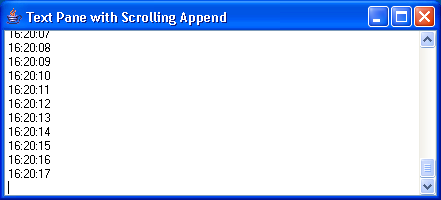
/*
Core SWING Advanced Programming
By Kim Topley
ISBN: 0 13 083292 8
Publisher: Prentice Hall
*/

import java.awt.Rectangle;
import java.awt.event.ActionEvent;
import java.awt.event.ActionListener;
import java.text.SimpleDateFormat;
import java.util.Date;

import javax.swing.JFrame;
import javax.swing.JScrollPane;
import javax.swing.JTextPane;
import javax.swing.Timer;
import javax.swing.UIManager;
import javax.swing.text.BadLocationException;
import javax.swing.text.Document;
import javax.swing.text.StyledDocument;

public class AppendingTextPane extends JTextPane {
  public AppendingTextPane() {
    super();
  }

  public AppendingTextPane(StyledDocument doc) {
    super(doc);
  }

  // Appends text to the document and ensure that it is visible
  public void appendText(String text) {
    try {
      Document doc = getDocument();

      // Move the insertion point to the end
      setCaretPosition(doc.getLength());

      // Insert the text
      replaceSelection(text);

      // Convert the new end location
      // to view co-ordinates
      Rectangle r = modelToView(doc.getLength());

      // Finally, scroll so that the new text is visible
      if (r != null) {
        scrollRectToVisible(r);
      }
    } catch (BadLocationException e) {
      System.out.println("Failed to append text: " + e);
    }
  }

  // Testing method
  public static void main(String[] args) {
    try {
        UIManager.setLookAndFeel("com.sun.java.swing.plaf.windows.WindowsLookAndFeel");
    } catch (Exception evt) {}

    JFrame f = new JFrame("Text Pane with Scrolling Append");
    final AppendingTextPane atp = new AppendingTextPane();
    f.getContentPane().add(new JScrollPane(atp));
    f.setSize(200, 200);
    f.setVisible(true);

    // Add some text every second
    Timer t = new Timer(1000, new ActionListener() {
      public void actionPerformed(ActionEvent evt) {
        String timeString = fmt.format(new Date());
        atp.appendText(timeString + "
");
      }

      SimpleDateFormat fmt = new SimpleDateFormat("HH:mm:ss");
    });
    t.start();
  }
}
Thank with us

