Java Is Open Source Programming Language You Can Download From Java and Java Libraries From http://www.oracle.com.
We provide this code related to title for you to solve your developing problem easily. Libraries which is import in this program you can download from http://www.oracle.com.
Counter: Swing and thread
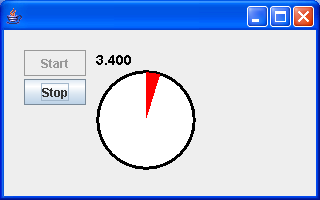
import java.awt.BorderLayout;
import java.awt.Color;
import java.awt.Font;
import java.awt.Graphics;
import java.awt.GridLayout;
import java.awt.event.ActionEvent;
import java.awt.event.ActionListener;
import java.awt.event.WindowAdapter;
import java.awt.event.WindowEvent;
import java.text.DecimalFormat;

import javax.swing.JButton;
import javax.swing.JComponent;
import javax.swing.JFrame;
import javax.swing.JPanel;
import javax.swing.border.EmptyBorder;

public class SecondCounterDemo extends JPanel {
  private SecondCounterRunnable sc = new SecondCounterRunnable();

  private JButton startB = new JButton("Start");

  private JButton stopB = new JButton("Stop");

  public SecondCounterDemo() {
    stopB.setEnabled(false); // begin with this disabled

    startB.addActionListener(new ActionListener() {
      public void actionPerformed(ActionEvent e) {
        startB.setEnabled(false);

        Thread counterThread = new Thread(sc, "Counter");
        counterThread.start();

        stopB.setEnabled(true);
        stopB.requestFocus();
      }
    });

    stopB.addActionListener(new ActionListener() {
      public void actionPerformed(ActionEvent e) {
        stopB.setEnabled(false);
        sc.stopClock();
        startB.setEnabled(true);
        startB.requestFocus();
      }
    });

    JPanel innerButtonP = new JPanel();
    innerButtonP.setLayout(new GridLayout(0, 1, 0, 3));
    innerButtonP.add(startB);
    innerButtonP.add(stopB);

    JPanel buttonP = new JPanel();
    buttonP.setLayout(new BorderLayout());
    buttonP.add(innerButtonP, BorderLayout.NORTH);

    this.setLayout(new BorderLayout(10, 10));
    this.setBorder(new EmptyBorder(20, 20, 20, 20));
    this.add(buttonP, BorderLayout.WEST);
    this.add(sc, BorderLayout.CENTER);
  }

  public static void main(String[] args) {
    SecondCounterDemo scm = new SecondCounterDemo();

    JFrame f = new JFrame();
    f.setContentPane(scm);
    f.setSize(320, 200);
    f.setVisible(true);
    f.addWindowListener(new WindowAdapter() {
      public void windowClosing(WindowEvent e) {
        System.exit(0);
      }
    });
  }

  class SecondCounterRunnable extends JComponent implements Runnable {
    private volatile boolean keepRunning;

    private Font paintFont = new Font("SansSerif", Font.BOLD, 14);

    private volatile String timeMsg = "never started";

    private volatile int arcLen = 0;

    public SecondCounterRunnable() {
    }

    public void run() {
      runClock();
    }

    public void runClock() {
      DecimalFormat fmt = new DecimalFormat("0.000");
      long normalSleepTime = 100;

      int counter = 0;
      keepRunning = true;

      while (keepRunning) {
        try {
          Thread.sleep(normalSleepTime);
        } catch (InterruptedException x) {
          // ignore
        }
        counter++;
        double counterSecs = counter / 10.0;
        timeMsg = fmt.format(counterSecs);
        arcLen = (((int) counterSecs) % 60) * 360 / 60;
        repaint();
      }
    }

    public void stopClock() {
      keepRunning = false;
    }

    public void paint(Graphics g) {
      g.setColor(Color.black);
      g.setFont(paintFont);
      g.drawString(timeMsg, 0, 15);

      g.fillOval(0, 20, 100, 100);

      g.setColor(Color.white);
      g.fillOval(3, 23, 94, 94);

      g.setColor(Color.red);
      g.fillArc(2, 22, 96, 96, 90, -arcLen);
    }
  }

}

