Java Is Open Source Programming Language You Can Download From Java and Java Libraries From http://www.oracle.com.
We provide this code related to title for you to solve your developing problem easily. Libraries which is import in this program you can download from http://www.oracle.com.
Animation: Swing and thread
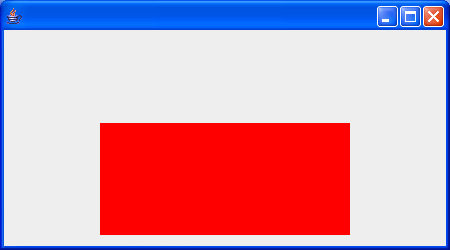
import java.awt.Color;
import java.awt.Dimension;
import java.awt.FlowLayout;
import java.awt.Graphics;
import java.awt.Graphics2D;
import java.awt.Image;
import java.awt.event.WindowAdapter;
import java.awt.event.WindowEvent;
import java.awt.geom.Ellipse2D;
import java.awt.geom.Rectangle2D;
import java.awt.image.BufferedImage;

import javax.swing.JComponent;
import javax.swing.JFrame;

public class SwingWithThread extends JComponent {
  private Image[] frameList;

  private long msPerFrame;

  private volatile int currFrame;

  private Thread internalThread;

  private volatile boolean noStopRequested;

  public SwingWithThread(int width, int height, long msPerCycle, int framesPerSec,
      Color fgColor) {

    setPreferredSize(new Dimension(width, height));

    int framesPerCycle = (int) ((framesPerSec * msPerCycle) / 1000);
    msPerFrame = 1000L / framesPerSec;

    frameList = buildImages(width, height, fgColor, framesPerCycle);
    currFrame = 0;

    noStopRequested = true;
    Runnable r = new Runnable() {
      public void run() {
        try {
          runWork();
        } catch (Exception x) {
          // in case ANY exception slips through
          x.printStackTrace();
        }
      }
    };

    internalThread = new Thread(r);
    internalThread.start();
  }

  private Image[] buildImages(int width, int height, Color color, int count) {

    BufferedImage[] im = new BufferedImage[count];

    for (int i = 0; i < count; i++) {
      im[i] = new BufferedImage(width, height,
          BufferedImage.TYPE_INT_ARGB);

      double xShape = 0.0;
      double yShape = ((double) (i * height)) / (double) count;

      double wShape = width;
      double hShape = 2.0 * (height - yShape);
      Rectangle2D shape = new Rectangle2D.Double(xShape, yShape, wShape,
          hShape);

      Graphics2D g2 = im[i].createGraphics();
      g2.setColor(color);
      g2.fill(shape);
      g2.dispose();
    }

    return im;
  }

  private void runWork() {
    while (noStopRequested) {
      currFrame = (currFrame + 1) % frameList.length;
      repaint();

      try {
        Thread.sleep(msPerFrame);
      } catch (InterruptedException x) {
        Thread.currentThread().interrupt();
      }
    }
  }

  public void stopRequest() {
    noStopRequested = false;
    internalThread.interrupt();
  }

  public boolean isAlive() {
    return internalThread.isAlive();
  }

  public void paint(Graphics g) {
    g.drawImage(frameList[currFrame], 0, 0, this);
  }

  public static void main(String[] args) {
    SwingWithThread redSquish = new SwingWithThread(250, 200, 2500L, 10, Color.red);
    JFrame f = new JFrame();
    f.setLayout(new FlowLayout());
    f.add(redSquish);

    f.setSize(450, 250);
    f.setVisible(true);
    f.addWindowListener(new WindowAdapter() {
      public void windowClosing(WindowEvent e) {
        System.exit(0);
      }
    });
  }
}

